Goblin Tools
★Tiny single-purpose AI tools for executive function — break down tasks, soften tone, estimate time.
TL;DR
Goblin Tools is the most quietly important AI tool of the last two years for neurodivergent learners. The Magic ToDo task-decomposer is the killer feature — it turns "write the essay" into a recursive sequence of atomic actions a student can actually start.
Recommend it if
You support a student with ADHD or executive-function challenges, you teach in a special-ed setting, or you're a parent of a kid who freezes at the start of long-form work.
Skip it if
Your school requires district SSO and a signed DPA before any tool reaches a student device — Goblin Tools is a single-developer indie project, not enterprise software.
Quick facts
- Platforms
- WebiOSAndroid
- Languages
- EnglishSpanishFrenchGermanDutch+10 more
- School fit
- 6-8 9-12 Higher Ed Adult / PD
- Subjects
- Executive functionwriting supportsocial communication
- Time to first output
- instant
- Learning curve
- Easy
- Setup
- Open the website — no account required for free tools
- Works offline
- —
Real-world use cases
How a teacher, student or parent actually puts this tool to work.
| Who | Scenario | Time | Output |
|---|---|---|---|
| Students | Lab report due Friday, you've been staring at the blank doc for 30 minutes — paste the assignment into Magic ToDo, get 11 atomic steps, start with the easiest. | 2 min | 11-step action list |
| Parents | Help your 14-year-old draft a "can I please have an extension" email to a teacher — Formalizer rewrites their first frustrated draft into something polite. | 3 min | Sendable email draft |
| Teachers | Special-ed teacher modeling executive function — show a student how to take "clean my room" and decompose it into 8 doable sub-tasks. | 5 min | Modeled task breakdown |
- Students
Lab report due Friday, you've been staring at the blank doc for 30 minutes — paste the assignment into Magic ToDo, get 11 atomic steps, start with the easiest.
- Time
- 2 min
- Output
- 11-step action list
- Parents
Help your 14-year-old draft a "can I please have an extension" email to a teacher — Formalizer rewrites their first frustrated draft into something polite.
- Time
- 3 min
- Output
- Sendable email draft
- Teachers
Special-ed teacher modeling executive function — show a student how to take "clean my room" and decompose it into 8 doable sub-tasks.
- Time
- 5 min
- Output
- Modeled task breakdown
Goblin Tools is the most quietly important AI tool of the last two years for neurodivergent learners — and one of the few worth recommending to parents directly.
The killer feature: Magic ToDo
Paste a vague task (“write the lab report”). Magic ToDo decomposes it into atomic sub-steps. Click any sub-step to decompose that further. Continue until the smallest step is something the student can start in 30 seconds.
For a student who freezes at the start of long-form work, this is the single highest-ROI intervention AI has produced for neurodivergent users.
The other small tools
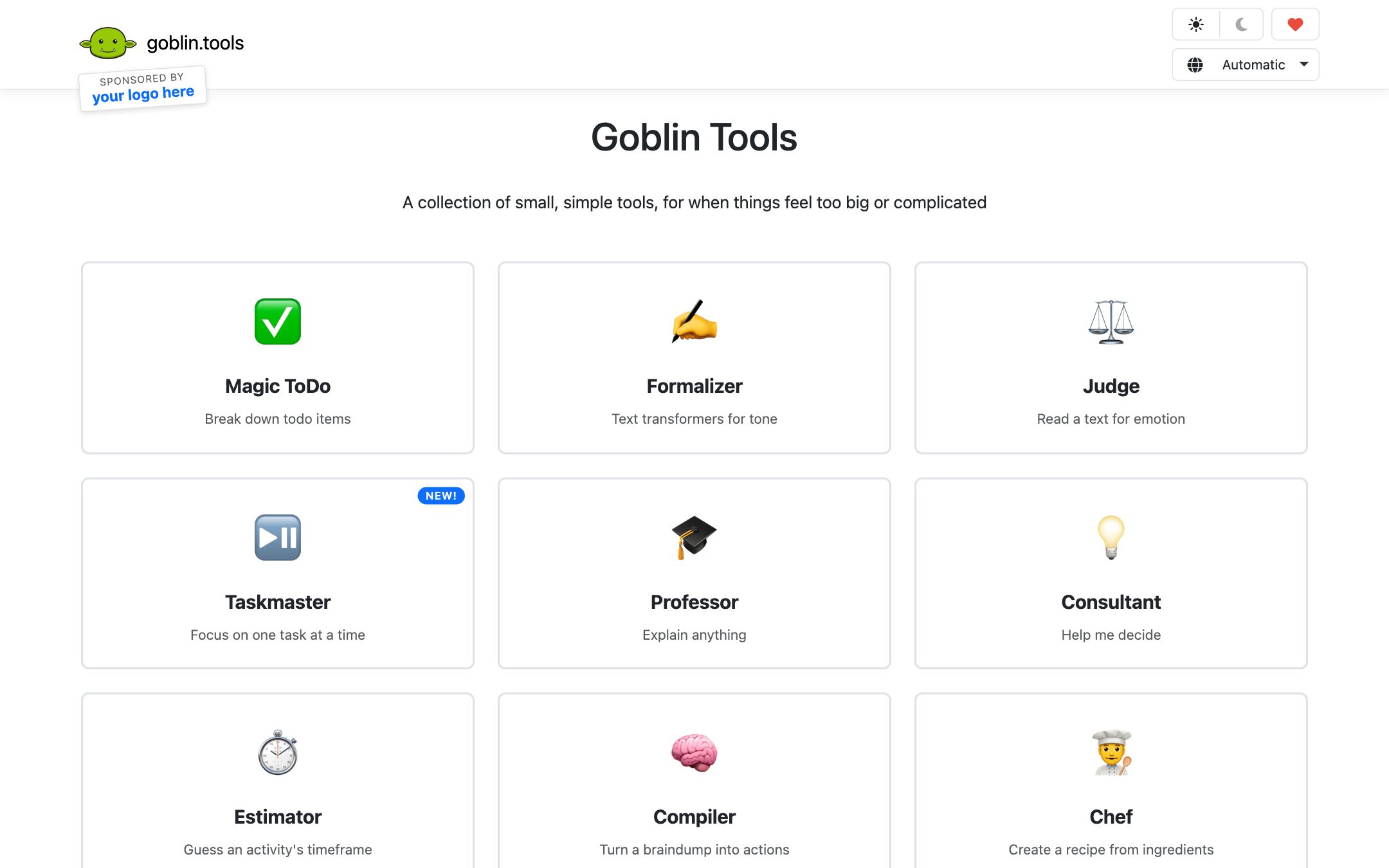
- Formalizer — rewrites a draft message at 5 different tone levels
- Estimator — opinionated time estimates for any task
- Judge — “is this message rude?” gut-check
- Compiler — turns a brain-dump paragraph into a structured list
What we like
- + Built for and with neurodivergent users (ADHD, autism, executive-function support)
- + Magic ToDo recursively breaks any task into atomic sub-steps
- + Formalizer rewrites tone — turn an angry email into a polite one
- + Web app + mobile app under $5 one-time
Heads up
- − No district / school SSO — designed for individuals
- − Web tools don't save state across devices unless you sync
- − The "spice level" / time estimator is opinionated, not data-driven
Pricing breakdown
Pricing
Verified directly on the vendor site. We re-check every quarter.
Web (Free)
Most useful- · All core tools usable in browser, no signup
- · Magic ToDo, Formalizer, Estimator, Judge, Compiler
- · Bring-your-own OpenAI key option
Mobile App
- · Native iOS and Android apps
- · Sync lists across devices
- · Offline access for saved lists
- · One-time purchase, no subscription
Donate
- · Support continued development
- · Single-developer indie project
- · No enterprise tier — by design
Privacy & compliance
Privacy & compliance
What we found in the vendor's terms, DPA, and trust center. Verify with your district before deploying.
- FERPA
- Unclear
- SOC 2
- No
- COPPA
- Unclear
- GDPR
- Partial
- Trains on your data
- No
- Data retention
- Free web tools process input ephemerally; lists saved locally in browser unless you sign in to sync.
- Hosting regions
- EU
Built by a single developer in Belgium. Not an enterprise product — no signed DPA, no admin console. Use as personal-tool recommendation, not as district deployment.
Works with
- Browser (works anywhere)
- iOS share sheet
- Android share sheet
Frequently asked questions
Frequently asked questions
Is Goblin Tools really free?
Yes — the web tools are completely free, no account needed. The mobile apps are a $5 one-time purchase. There's a tip jar for the developer. No subscription, no upsell.
Is it safe to recommend to a child?
Yes for the web tools — no account, no PII, ephemeral processing. The developer has been transparent about privacy from day one. For under-13 device install, supervise the mobile-app setup.
How is this different from a generic AI chatbot?
Goblin Tools constrains AI to a single useful task per tool. A student who'd get distracted in a general ChatGPT conversation can use Magic ToDo for one specific job — task decomposition — and close the tab.
Does it actually help with ADHD / executive function?
Anecdotally, very. It's especially good for the "I can't start" freeze — Magic ToDo's recursive decomposition is genuinely the right intervention. Pair it with a body-double / accountability check for best results.
Why no enterprise / district version?
By the developer's design choice — Goblin Tools stays a low-cost indie tool aimed at individuals. If your district needs a signed DPA, look at SchoolAI or similar. For "tool I recommend to a parent or older student", Goblin Tools is unbeatable.
Tags
You might also like
When to pick it
SchoolAI
Tutors & Study Companions
Custom AI tutors and "Spaces" you build for your class — with full teacher visibility into every student chat.
You need an enterprise-grade AI tool with district SSO and admin console.
NotebookLM
★Content Creation
Google's AI research notebook — upload your sources, get briefs, study guides and audio "podcasts".
The student needs help understanding source documents, not breaking down tasks.